 TryPrimero
Your face stays yours
Identity-lock keeps your face and features untouched – only the style changes.
AI try on
One photo. See yourself in a new outfit, haircut, hair color, makeup or nails in seconds. Your face stays yours.
First try-on free · Results in seconds · Photos used only for your try-on
A photo of you, front-facing, in good light, at least from the waist up – full length if you want to try on bottoms or shoes. The outfit is drawn onto this photo; your face and body stay yours. It is used only to make this try-on and never for anything else.
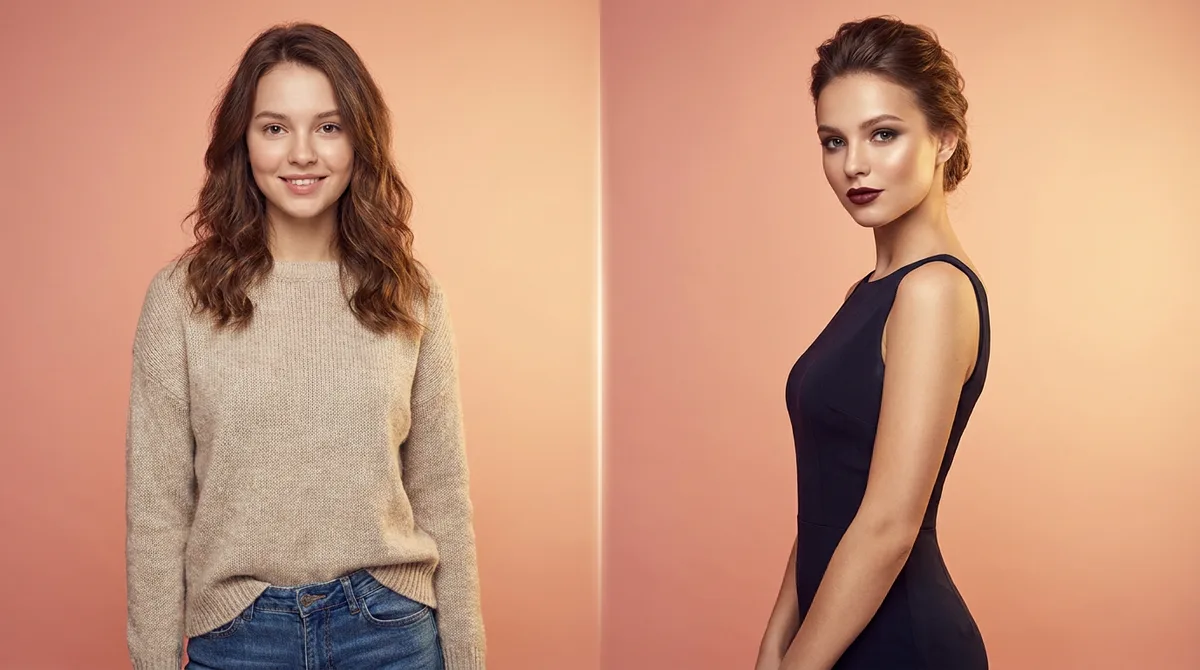 BeforeAfter
A front-facing photo with even lighting works best. No sign-up before your first result.
Choose one of 42 ready styles, or upload a reference photo of the exact look you found.
Save it, compare looks, or try another one.
Identity-lock keeps your face and features untouched – only the style changes.
Found a look on Instagram or Pinterest? Upload it and see it on yourself.
Outfits, hairstyles, hair colors, makeup and nails – one photo works for all of them.
The try-on runs right here in the browser and the first one is free, no sign-up. The same account and the same balance also work in the Telegram bot and the iOS app.
Every tool uses the same photo and the same account. Pick the one that matches what you are deciding right now.
Swap the outfit in your photo for any garment: a dress from a shop listing, a jacket from Instagram, a suit for an interview. See the color, length and cut on your own body before you buy.
Try several pieces in a row on the same photo and compare the looks. Works with product photos, flat lays and screenshots.
No photo of yourself at hand? Put the garment on one of the ready AI models to check drape and styling, or to make a clean product image.
Choose from 16 ready cuts such as bob, pixie, long layers, curls or braids, or upload a picture of a haircut you like. Your face stays the same; only the hair changes.
See curtain, blunt or side-swept bangs on your own face before you ask your stylist to cut them.
Answer three questions about your face shape, hair length and style, get the cuts that suit you, then try them on your photo.
Preview blonde, brunette, red, pink, ash or ombré on your own hair, with the color following your hairline and shadows.
Try natural, evening, bold or smoky makeup, or copy a look from a reference photo, without touching a brush.
Upload a photo of your hand and test French, chrome, marble, glitter and 12 more designs, or a design from a salon’s feed.
Check whether a color suits you and how a cut sits before you order, and send fewer parcels back.
Show your stylist a picture of you with the haircut or color, not a photo of someone else.
Plan a wedding, graduation or party look: outfit, hair and makeup on the same photo.
Show a garment on an AI model or on yourself for listings and social posts.
Only the zone you choose is edited: clothes, hair, makeup or nails. Your face, skin and body shape come from your original photo.
42 built-in styles cover the common looks. For anything else, upload a reference photo and the style is transferred to your image.
A try-on usually takes 10 to 30 seconds and runs in the browser on any phone or computer. There is nothing to install.
Photos are used only to make your try-on. They are not sold, not used for ads and not used to train AI models.
Your first try-on on this site is free. After that you buy a one-time pack of try-ons that never expire. No subscription.
Yes. Identity-lock preserves your face; only the selected zone changes.
Yes, upload any reference photo and TryPrimero transfers the style to your image.
Outfits, hairstyles, hair colors, makeup and nails.
Your first try-on is free.
The result shows color, length and silhouette on your body shape. It is a realistic preview, not a size chart, so check the shop’s measurements for sizing.
A clear, front-facing photo in even light. For clothes, use a photo that shows the part of the body the garment covers: hips for a dress, legs for trousers.
Not for your first try-on. To keep and download the result, sign in with Google or with a 6-digit code we email you.
Yes. TryPrimero runs in any modern mobile browser, including the browsers inside social apps.